
Filmora Review reveals if this popular video editor is worth it, covering AI tools, pricing, features, and real-world performance.
Most people don’t stop creating videos because they lack ideas. They stop because editing becomes frustrating.
You record your content, open a video editor, and suddenly you’re dealing with complicated timelines, endless settings, and tools that feel designed for professional filmmakers rather than everyday creators.
That’s the problem Wondershare Filmora tries to solve.
Instead of competing directly with advanced editing suites, Filmora focuses on something many creators actually need: a faster and simpler way to turn ideas into polished videos.
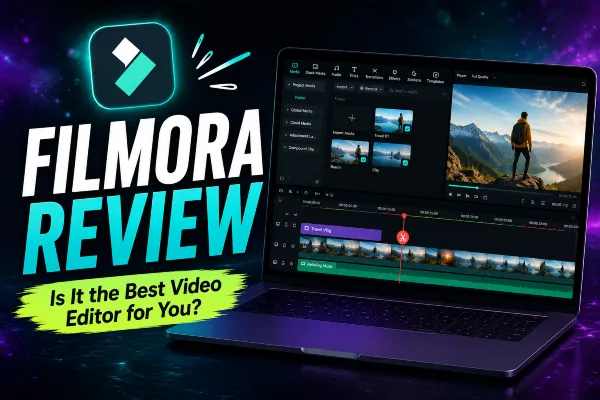
Whether you’re creating YouTube videos, social media content, online courses, or marketing videos for your business, the question is simple:
Can Filmora really make video editing easier, or is it just another beginner-friendly editor with good marketing?
Let’s find out.
Quick Verdict
⭐ Rating: 4.7/5
Filmora is one of the easiest video editors to recommend for creators who want professional-looking results without spending weeks learning complicated software.
| Best For | Consider Another Option If |
|---|---|
| ✔ YouTubers and content creators | ✘ You work on professional film productions. |
| ✔ Social media marketers | ✘ You need advanced studio workflows. |
| ✔ Small businesses | ✘ You require deep color grading and collaboration tools. |
| ✔ Online educators | ✘ You edit large, complex multi-camera projects. |
| ✔ Beginners looking for simple editing tools | ✘ You need advanced VFX and compositing features. |
Our Take: Filmora succeeds because it focuses on productivity. It helps creators spend less time fighting software and more time creating content.
Who Is Filmora Really For?
Filmora is often described as a beginner video editor.
That’s true—but incomplete.
The real advantage of Filmora is not just simplicity. It’s efficiency.
Many creators don’t want to become video editing experts. They simply want to publish better videos consistently.
For someone creating weekly YouTube videos, Instagram Reels, TikTok content, tutorials, or promotional videos, every unnecessary step slows down the creative process.
Filmora removes much of that friction.
The interface is easy to understand, essential tools are accessible, and most users can start creating without a long learning curve.
Why Creators Choose Filmora
The biggest difference between Filmora and many professional editors is the approach.
Traditional editing software often gives users maximum control but requires significant time investment.
Filmora focuses on helping users achieve great results faster.
That balance makes it appealing to creators who value their time.
You don’t need to spend hours learning complex workflows before producing your first quality video.
Features That Actually Save Time
Many software reviews simply list features.
But features only matter when they solve real problems.
AI Tools That Reduce Repetitive Editing
Filmora includes several AI-powered tools designed to speed up common editing tasks.
Automatic subtitles, background removal, audio improvements, and smart editing features can significantly reduce manual work.
For creators who publish frequently, these small improvements add up.
Less time fixing technical details means more time creating new content.
Creative Assets Without Leaving the Editor
Finding music, transitions, effects, and visual elements can interrupt the editing process.
Filmora includes a large collection of creative assets that help creators stay focused inside the platform.
This is especially useful for beginners who don’t want to spend hours searching for external resources.
Templates Made for Modern Content
Creating videos for multiple platforms requires speed.
Filmora offers templates and tools designed for different content formats, including social media videos, presentations, and online content.
Instead of starting from an empty timeline every time, creators can use templates as a foundation and customize them to match their style.
The Hidden Cost of Free Video Editors
Free software can be useful.
But many creators eventually discover that saving money upfront can cost them something else: time.
Watermarks, limited exports, missing features, extra plugins, and complicated workflows can turn simple editing into a frustrating process.
Filmora’s value comes from reducing those obstacles.
You’re not only paying for features.
You’re paying for a smoother creative process.
What Filmora Gets Right
After looking beyond the marketing, a few strengths stand out:
Easy Learning Curve
Filmora feels approachable from the first project. Users can quickly understand the basics without needing extensive tutorials.
Useful AI Features
Instead of adding AI just as a trend, many Filmora AI tools focus on practical tasks that save time.
Good Balance Between Simplicity and Control
Filmora is simple enough for beginners but flexible enough for creators who want more control as their skills improve.
Built for Today’s Creators
Support for different formats and social platforms makes Filmora a practical choice for modern content production.
Where Filmora Could Improve
Filmora is not designed to replace every professional editing solution.
Advanced editors may eventually need more powerful tools for complex productions, advanced color correction, or large team workflows.
The free version is also limited, and serious creators will likely need a paid plan to access the complete experience.
Additionally, video editing performance will always depend on your computer hardware, especially with larger projects and higher-resolution footage.
These limitations are understandable, but worth considering before making a decision.
Is Filmora Worth Paying For?
The real question isn’t only about price.
It’s about value.
If you edit one video every few months, a premium editor may not be necessary.
But if you create content regularly, saving even 30 minutes per project can quickly become valuable.
Over time, the hours saved can easily justify the investment.
Wondershare also frequently offers promotions and discounts for new users, so checking current deals before subscribing can help you get better value.
Should You Choose Filmora?
Filmora is not the most advanced video editor available.
But it doesn’t need to be.
Its goal is different.
It helps creators transform ideas into finished videos without unnecessary complexity.
If you want professional-looking results, a simple workflow, and tools that help you create faster, Filmora is one of the strongest options available.
If you need Hollywood-level editing capabilities, a professional solution may be a better fit.
Frequently Asked Questions
Is Filmora good for beginners?
Yes. Filmora is designed for users who want an easy-to-learn editor with professional-looking results.
Is Filmora better than Premiere Pro?
Premiere Pro offers more advanced professional features, while Filmora focuses on simplicity and speed. The better choice depends on your needs.
Does Filmora have AI features?
Yes. Filmora includes AI tools for tasks such as subtitles, background removal, audio improvements, and editing assistance.
Can Filmora be used for YouTube?
Yes. Filmora is a popular choice among YouTube creators because of its simple workflow and creative tools.
Is Filmora worth the money?
For creators who publish videos regularly, Filmora can be a valuable investment because it saves time and simplifies editing.
Final Verdict
Creating videos should not require becoming a professional editor first.
That’s the idea behind Filmora.
It doesn’t try to replace the most advanced editing software available. Instead, it focuses on helping more people create better videos with less frustration.
For YouTubers, entrepreneurs, educators, and content creators, that approach makes a lot of sense.
Sometimes the best tool is not the one with the most features.
It’s the one that helps you finish your next project.