
Do you really need a password manager? We explore NordPass to see if it can make your passwords safer, simpler, and easier to manage.
How many passwords do you actually remember?
If you’re like most people, probably far fewer than the number of accounts you use. Email, banking, shopping, streaming, social media, work tools—the list keeps growing. And when remembering everything becomes impossible, reusing passwords starts to look like the easiest solution.
That’s where password managers come in.
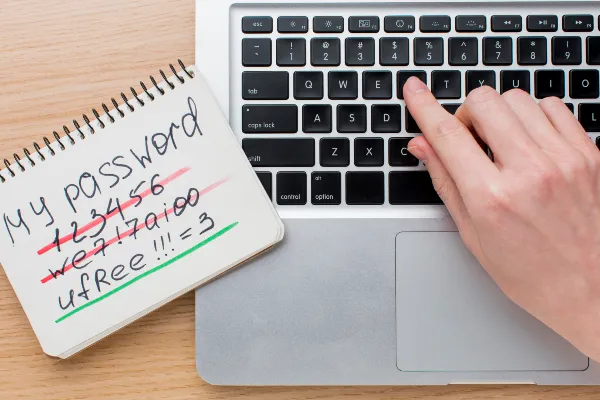
NordPass is designed to take much of that work off your hands. But do you really need a password manager, and is NordPass worth adding to your digital toolkit?
Quick Verdict
| NordPass at a Glance | Our Take |
|---|---|
| Ease of Use | ⭐⭐⭐⭐⭐ |
| Security | ⭐⭐⭐⭐⭐ |
| Features | ⭐⭐⭐⭐☆ |
| Value for Money | ⭐⭐⭐⭐☆ |
| Best For | Users who want simpler, safer password management |
| Overall Rating | 4.7/5 |
Our Take: NordPass is a strong choice for anyone tired of managing dozens of passwords and looking for a simpler way to protect everyday online accounts.
Consider another option if: You only manage a handful of accounts and already have a reliable system for creating and storing unique passwords.
Do You Really Need a Password Manager?
Technically, no.
You can create and remember your own passwords, and modern browsers can save many of them for you.
The problem is what happens as your digital life gets bigger.
Ideally, every important account should have a strong, unique password. Remembering dozens of them is unrealistic, while reusing the same password across multiple services can create a much bigger problem if one account is compromised.
A password manager solves this differently: instead of remembering dozens of credentials, you primarily need to remember one master password.
The rest can be stored securely and automatically filled when you need them.
That’s the real appeal.
You don’t need a password manager because passwords are complicated. You need one because there are simply too many of them.
What NordPass Actually Does
NordPass is a password manager that stores passwords and other sensitive information in an encrypted vault. You can also use it to store passkeys, credit card details, personal information, secure notes, and files.
Its everyday functions are straightforward.
NordPass can generate strong passwords when you create new accounts, save login credentials, and autofill them when you return to a website. It can also synchronize your information across supported devices and browsers, depending on your plan.
That means fewer password resets, less typing, and less temptation to use the same password everywhere.
What Makes NordPass Different?
The password manager market is crowded, so storing passwords alone isn’t enough to stand out.
NordPass puts considerable emphasis on making security relatively simple for everyday users. Its vault uses end-to-end encryption and a zero-knowledge architecture, meaning data is encrypted locally before being uploaded and the company says it cannot access the contents of your vault.
It also uses XChaCha20 encryption and has undergone independent security audits, giving security-conscious users additional reasons to look beyond the basic autofill features.
Another interesting advantage is its broader privacy ecosystem. If you’re already familiar with other Nord products, like NordVPN, NordPass can fit naturally into the same ecosystem. You don’t need another Nord service to use it.
What We Like
Less Password Management
The biggest benefit is convenience.
Once your credentials are organized, logging into accounts becomes much less tedious.
Strong Password Generation
NordPass can generate unique passwords instead of leaving you to invent another variation of the same password.
Autofill
Automatically filling login details saves time and makes stronger password habits easier to maintain.
Password Health
Premium users can use Password Health to identify weak, reused, or old credentials that may deserve attention.
Data Breach Monitoring
The Data Breach Scanner can alert users when stored credentials or other monitored information appear in known breaches, giving them an opportunity to change compromised credentials.
Ready to simplify your passwords?
See how NordPass can organize your credentials and make everyday logins easier.
Free vs. Premium: Which One Makes Sense?
This is where NordPass becomes more interesting for budget-conscious users.
The Free plan includes essential features such as secure storage and autosave/autofill, but it is limited to one active session on one device.
Premium adds simultaneous access across unlimited devices and features such as Password Health, Data Breach Scanner, Authenticator, Email Masking, Secure Item Sharing, File Attachments, and Emergency Access.
So, if you only need a basic password vault on one device, the free option may be enough.
If you regularly switch between a phone, laptop, and other devices, Premium makes considerably more sense.
Is NordPass Worth Paying For?
For many users, yes.
The value isn’t really in having another app. It’s in removing one of the most frustrating parts of modern internet use.
Think about how often you:
- Reset a forgotten password
- Search for a saved login
- Create a new account
- Reuse an old password
- Type credentials on another device
A password manager can turn many of those recurring annoyances into mostly automatic processes.
If you have dozens of accounts, use multiple devices, or simply want to stop thinking about passwords so much, NordPass makes a compelling case.
Who Should Use NordPass?
NordPass makes the most sense for:
- People with lots of online accounts
- Users who reuse or struggle to manage passwords
- Anyone using multiple devices
- Families looking for easier credential management
- People who want stronger passwords without creating them manually
It’s less compelling for someone with very few accounts who already has a reliable password system.
Final Verdict
You don’t technically need a password manager.
But if managing passwords has become one of those small problems you keep putting up with, there’s little reason to continue doing everything manually.
NordPass combines secure storage, password generation, autofill, synchronization, and additional security features into a relatively straightforward experience.
Its strongest selling point isn’t one flashy feature. It’s the ability to make better password habits easier to maintain.
For anyone looking for a practical way to take control of a growing collection of online accounts, NordPass is worth considering.
Frequently Asked Questions
Is NordPass safe to use?
NordPass uses end-to-end encryption and zero-knowledge architecture, with security audits and additional protections designed to safeguard stored information.
Is NordPass free?
Yes. NordPass offers a Free plan with essential password-management features. Premium adds features and simultaneous access across multiple devices.
Is NordPass worth it?
For users managing many accounts or multiple devices, NordPass can provide significant convenience while encouraging stronger password habits. Premium becomes particularly useful when you need access across multiple devices and want its additional security features.
Image: Magnific.