
Can UPDF PDF Editor replace several PDF tools? Explore its editing, conversion, OCR, AI, signing, and document management features in one application.
Working with PDFs often means using more than one application. You may need one tool to edit text, another to convert files, another for OCR, and yet another to annotate or organize pages.
The UPDF PDF Editor takes a different approach. Instead of focusing on just one PDF task, it combines traditional PDF editing and document management with AI-powered features in a single application.
But can it really replace the PDF tools you already use?
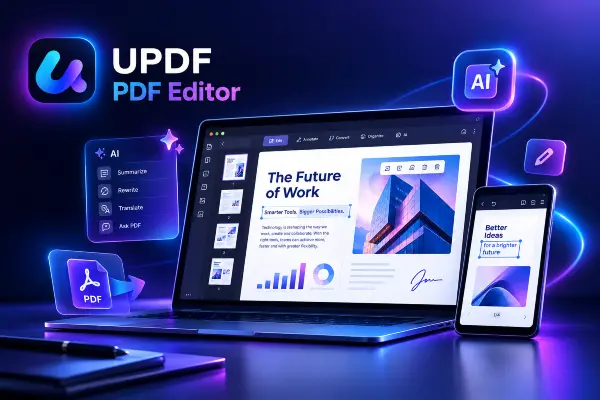
What Is UPDF PDF Editor?
UPDF is an all-in-one PDF solution designed to handle a wide range of document tasks from one interface.
You can edit text and images, annotate documents, organize pages, convert files, work with scanned documents through OCR, create and manage forms, add signatures, and protect PDFs.
It is available for Windows, macOS, iOS, and Android, while its AI features can also be accessed through the web. This makes UPDF suitable for users who work with documents across multiple devices.
The idea is straightforward: instead of moving between several specialized PDF applications, you can handle more of your everyday workflow in one place.
How Many PDF Tasks Can It Handle?
The biggest advantage of the UPDF PDF Editor is the range of tasks it brings together.
| PDF Task | What UPDF Can Do |
|---|---|
| Edit PDFs | Modify text, images, links, and other document elements |
| Annotate | Add highlights, comments, shapes, stamps, and other annotations |
| Organize pages | Rearrange, insert, delete, rotate, and manage PDF pages |
| Convert files | Convert PDFs to and from commonly used document and image formats |
| OCR | Turn scanned documents into searchable and editable content |
| Forms | Create, fill, and work with interactive PDF forms |
| Sign documents | Add electronic signatures to documents |
| Protect PDFs | Apply password protection and other document security features |
| Compare PDFs | Identify differences between two PDF files |
| AI tools | Summarize, analyze, translate, search, and interact with documents |
This broad feature set is what makes the software more interesting than a conventional PDF editor.
For someone who regularly works with different types of PDF files, having these functions together can simplify the workflow considerably.
What Does UPDF’s AI Add?
The AI component is where the UPDF PDF Editor moves beyond traditional PDF software.
UPDF’s AI tools can interact with documents rather than simply allowing you to edit them. Depending on the task, you can ask questions about a PDF, summarize its contents, translate text, extract information, or analyze a document.
Its AI features also include semantic search and automatic bookmark generation. UPDF currently promotes support for models including GPT-5 and DeepSeek R1.
This can be useful when the problem is not “How do I edit this PDF?” but “How do I understand what is inside this PDF?”
For example, instead of reading through a long report manually, you could use the AI tools to identify important information, summarize sections, or ask questions about the document.
That makes UPDF relevant not only as a PDF editor but also as an AI-assisted document workspace.
Can UPDF Replace Several Other Tools?
For many users, potentially yes.
If your PDF workflow involves occasional editing, conversion, annotation, OCR, page organization, and document analysis, UPDF can bring many of those activities into one application.
The main benefit is not necessarily that every specialized tool becomes unnecessary. Rather, you may no longer need several different applications for routine PDF work.
That distinction matters.
A user with highly specialized requirements may still prefer dedicated software for certain tasks. But for everyday document workflows, consolidating multiple functions into one application can reduce the need to switch between tools.
One PDF Workflow Across Devices
Another practical advantage is cross-platform support.
UPDF is available on Windows and macOS computers, as well as iOS and Android devices. Its AI functionality is also available through the web.
For people who move between a desktop, laptop, tablet, and smartphone, this creates a more consistent PDF workflow.
Instead of thinking about which application is installed on each device, you can work within the same UPDF ecosystem.
That can be particularly useful for professionals and students who regularly open, review, edit, or share documents from different devices.
Who Should Consider UPDF PDF Editor?
UPDF may be particularly relevant to people who regularly work with PDFs rather than simply opening them occasionally.
Professionals can use it for reports, contracts, forms, presentations, and business documents.
Students can benefit from annotation, document organization, OCR, summaries, and AI-assisted research.
Freelancers and small businesses may appreciate having editing, conversion, signing, and document management features together.
And for heavy PDF users, the biggest advantage may simply be reducing the number of applications needed for everyday document work.
Can You Try UPDF for Free?
UPDF offers a free version, but it comes with limitations.
Depending on the feature, free users may encounter restrictions involving saved documents, conversions, batch processing, OCR, and AI usage. These limitations are important to consider if you expect to use UPDF regularly.
Paid options provide access to more capabilities, with licensing options that can vary by plan and promotion.
Because software pricing and promotions can change, it is worth checking UPDF’s current plans before making a purchase.
Is UPDF PDF Editor Worth It?
The answer depends largely on how you work with PDFs.
If you only open PDFs occasionally and rarely need to edit them, a comprehensive PDF application may be more than you need.
But if you regularly edit, convert, annotate, organize, scan, sign, or analyze PDF documents, the combination of traditional PDF tools and AI features makes UPDF a compelling alternative to maintaining several separate applications.
The key advantage is consolidation: one PDF environment covering a wide range of everyday document tasks.
Final Verdict
So, can UPDF PDF Editor replace your PDF tools?
For many everyday users, it can potentially replace several separate applications used for editing, conversion, OCR, annotation, organization, and document analysis.
It does not mean that every specialized PDF application will become unnecessary. Instead, UPDF offers a broader workflow that can reduce the number of tools required for common PDF tasks.
If simplifying your PDF workflow is the goal, UPDF is worth exploring.